
In partnership with

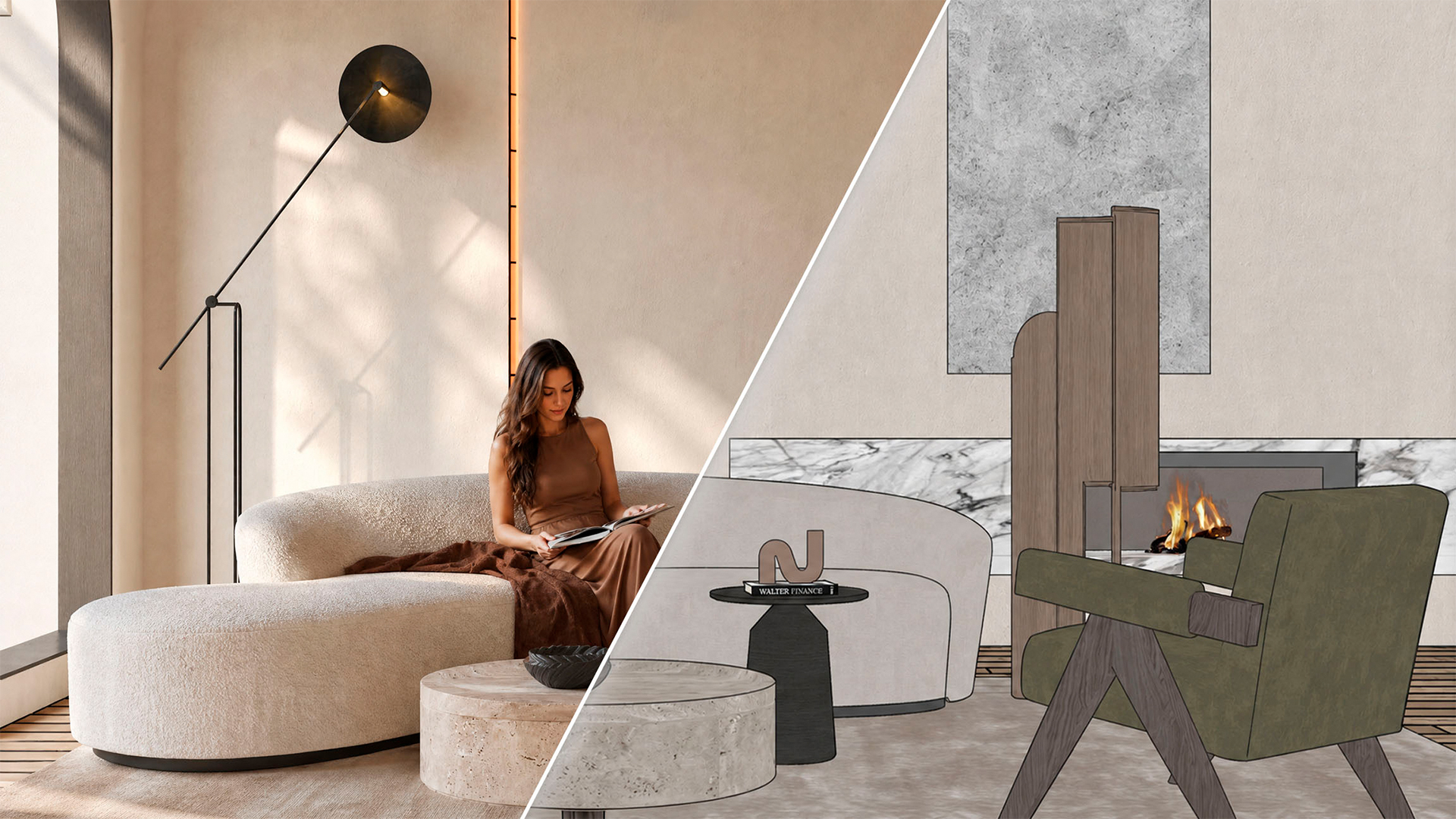
Sherpa is an AI rendering tool that works image-to-image on the user’s own geometry rather than text-to-image, so the design stays recognisable instead of being reinterpreted from a written description.
Everything that would normally go into a prompt is instead a control: luminosity, time of day, colour temperature, artificial lights, whether people appear, styling level, and named per-surface materials. Leave a control alone and that part of the image stays as modelled.
Because the controls sit on top of the same base image and camera, a designer can run one viewpoint through daylight, evening light, an empty version for handover drawings, a marble floor, and a different sofa — then compare all five results from a single export. Every version stays grouped with the image it came from.
There are two ways to use it. Sherpa runs in the browser and accepts any base image, whether a work render or an export from Revit, Archicad, or SketchUp. Alternatively, an extension for SketchUp — now listed on the SketchUp Extension Warehouse — skips the export step by rendering straight from the viewport. The extension ships with a straightener that corrects the camera to a two-point perspective before sending, so vertical lines stay vertical.
The developers are clear that Sherpa’s output isn’t photorealistic and doesn’t replace V-Ray or Enscape; it’s built for the pitch and concept stage.
The AI Spotlight Directory is published by AEC Magazine in partnership with HP and Nvidia.
